Chat with a powerful AI assistant built for entrepreneurs and small teams. Keep every conversation in one place, share documents and images for context, and get real answers in seconds. Projects, automations, and integrations are on the way — see our roadmap below.

Real screens from the app — no mockups, no filters.
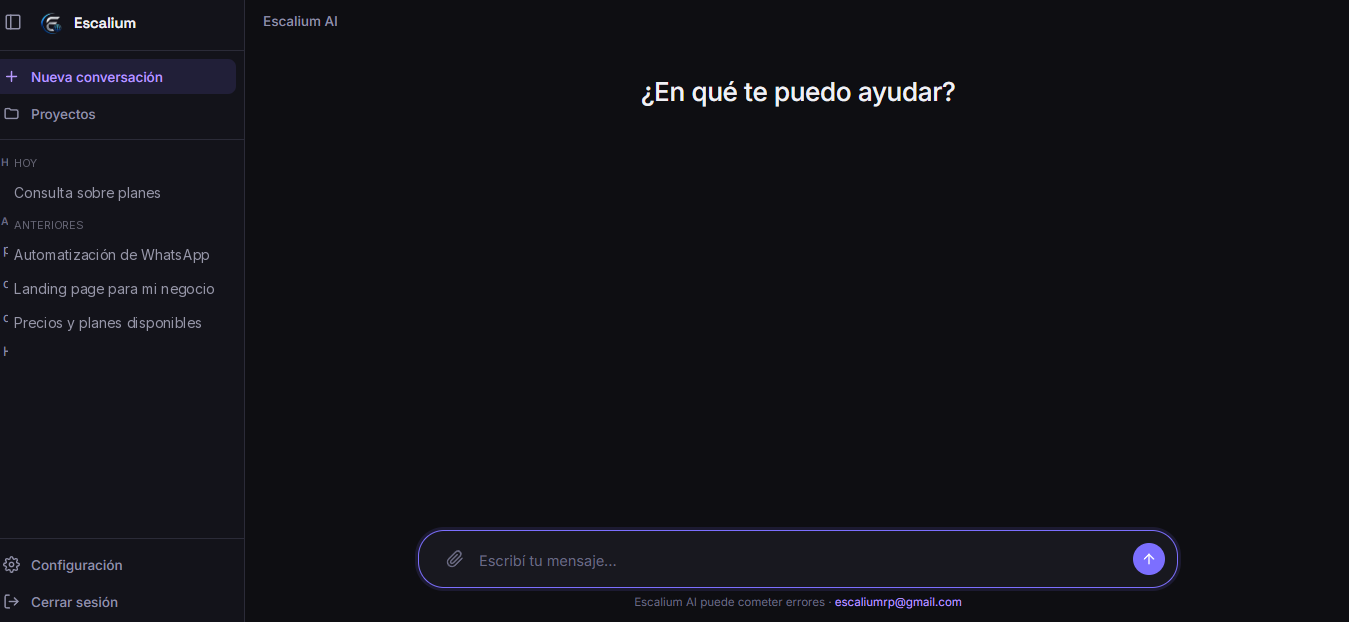
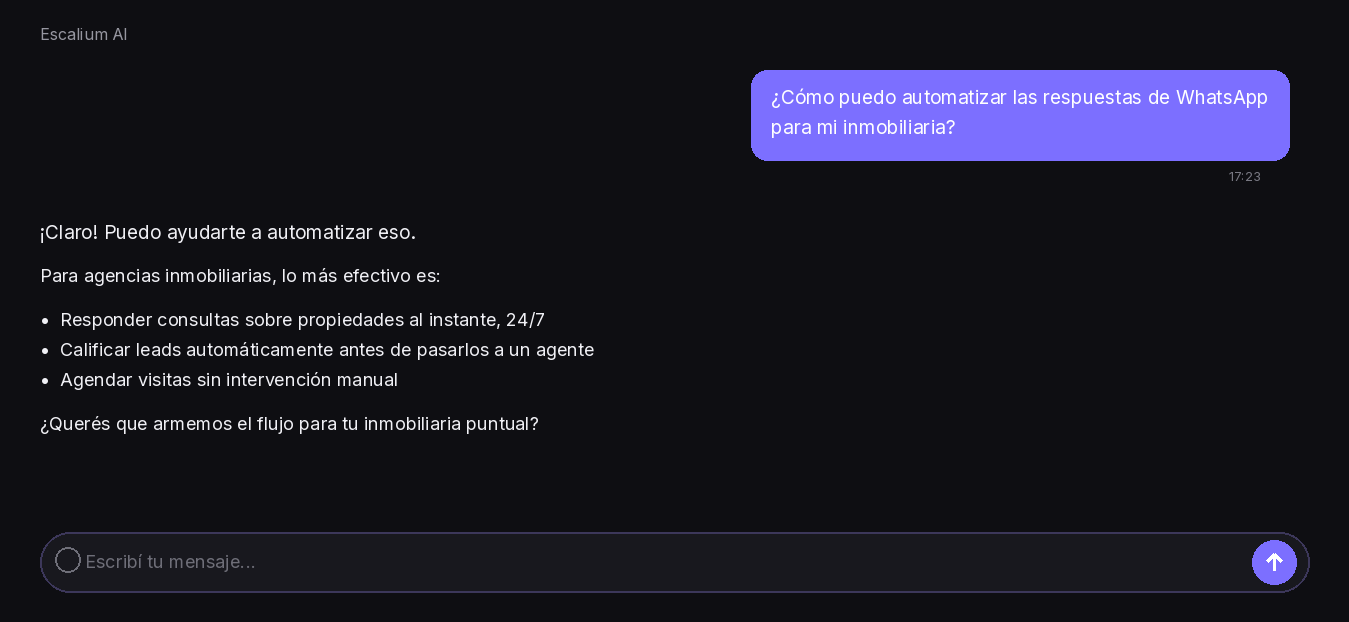
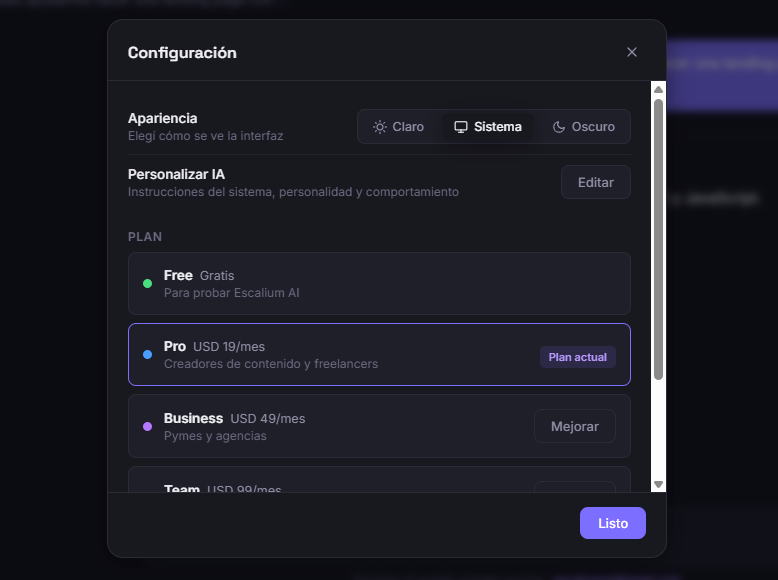
Escalium AI is our own SaaS chat assistant, built on the same automation we deliver to clients. Start free, upgrade whenever you need more.
Try the assistant with no commitment.
For solo agents and small teams.
For growing agencies and teams.
For larger teams with heavy usage.
We're building toward a full AI operating system for your business. These are next on our roadmap — not available yet.
Group conversations, files, and goals by client or project, instead of one long chat history.
A searchable home for every file you've shared with the AI — not just attached to one message.
Set up triggers so Escalium AI can act on your behalf, not just answer when asked.
Starting with WhatsApp Business, so Escalium AI works where your customers already are.
Escalium AI is built specifically for entrepreneurs and small business owners, at a price point designed for that. Today it's a focused chat assistant with conversation history and file sharing — and we're building toward a full workspace with projects, a document library, and automations, so you don't need five different tools.
Yes. Payments are processed by Lemon Squeezy, our payment provider. We never see or store your full card number.
Yes, right from your account settings. You'll keep access to your plan until the end of the period you already paid for — we don't cut you off early.
It's saved right in your browser today, so it's there when you come back. Syncing your history across devices is part of our roadmap.
You can cancel anytime and you'll keep access through the period you already paid for. We don't offer refunds for partial periods — see our Terms for details.
Fill out the form and we'll reply within one business day. Prefer to reach out directly? Use any of the methods below.